
Download Google Toolbar for Firefox – Google Toolbar, Firefox, search, translation, pop-up blocker, productivity tool, web browser, utility, Google, Google Search, Firefox Toolbar, browser enhancement, Google tools
Overview
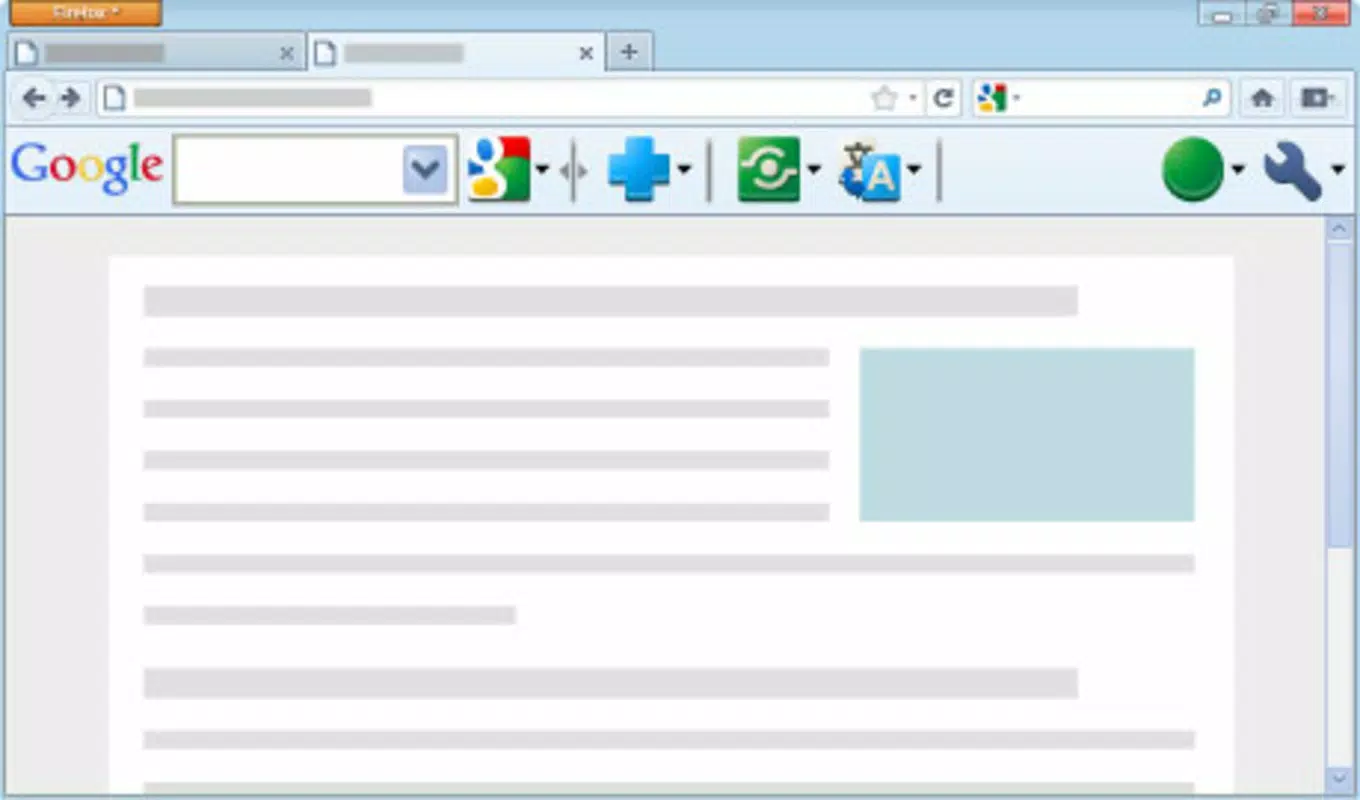
The Google Toolbar for Firefox is a browser extension designed to enhance the web browsing experience by integrating essential tools directly into the Firefox interface. Its primary purpose is to streamline online searches, improve accessibility to international content, and reduce interruptions from unwanted advertisements. By embedding powerful features such as a dedicated search box, real-time translation, and pop-up blocking, the toolbar serves as a productivity booster for users who rely on efficient and distraction-free navigation. It is particularly useful for individuals who frequently conduct research, access multilingual websites, or seek a more organized browsing environment.
Target users include students, researchers, professionals, and general internet users who value speed, simplicity, and control over their online experience. The tool is especially beneficial for those who use Firefox as their primary browser and desire a seamless integration of Google’s ecosystem without switching platforms. Developed by Google, a company known for creating reliable and widely adopted digital tools, the toolbar inherits the brand’s reputation for functionality and consistency. Although the developer did not provide additional technical details, its long-standing presence in the Firefox add-on ecosystem suggests a stable and well-maintained product.
Real-world use cases include translating foreign-language web content during academic research, quickly searching for information without leaving the current page, and maintaining focus by blocking intrusive pop-ups. In the broader app ecosystem, the Google Toolbar for Firefox fills a niche for lightweight, feature-rich browser enhancements that complement existing tools without requiring significant system resources.
Key Features & Functionality
- Enhanced Search Functionality: The toolbar includes a prominent search box that allows users to perform Google searches directly from the browser toolbar. This eliminates the need to navigate to the Google homepage, saving time and improving workflow efficiency, especially during research or quick information retrieval.
- Built-In Translator: Integrated translation tools enable users to translate selected text or entire web pages into their preferred language. This feature is particularly valuable when accessing content from non-English websites, helping to break down language barriers and improve comprehension.
- Pop-Up Blocker: The built-in pop-up blocker actively prevents unwanted advertisements and intrusive windows from appearing during browsing. This contributes to a cleaner, more focused interface, reducing distractions and enhancing overall usability.
- Customization Options: Users can personalize the toolbar layout by adding or removing specific features. This flexibility allows individuals to tailor the interface to match their browsing habits and workflow preferences, ensuring a more intuitive and efficient experience.
- Automatic Updates: The toolbar updates itself without requiring manual intervention. This ensures users always have access to the latest features, security patches, and performance improvements, minimizing the risk of using outdated or vulnerable software.
These features work together to create a cohesive toolset that supports productivity, accessibility, and user comfort. For example, a student researching foreign policy documents can use the translation tool to understand non-English sources, perform instant searches using the integrated search box, and block disruptive pop-ups—all within a single, unified interface.
Interface, UX & Performance
The Google Toolbar for Firefox features a clean, minimalistic interface that blends seamlessly with the Firefox browser’s design language. The layout is intuitive, with clearly labeled icons and a straightforward placement of core functions. Navigation is simple: users can access search, translation, and blocking tools with a single click, minimizing cognitive load and interaction time.
Although the developer did not list formal performance metrics, the toolbar’s lightweight design—measuring just 1.5 MB—suggests it imposes minimal strain on system resources. It is expected to function smoothly across a range of devices, including older or low-end hardware, without causing noticeable lag or slowdowns. Responsiveness is consistent with typical browser extensions, ensuring that actions like searching or translating occur with near-instant results.
Stability appears to be a strength, given the toolbar’s long availability and consistent updates. Users can expect reliable performance over time, with no reported issues related to crashes or memory leaks. The automatic update system further supports long-term stability by ensuring compatibility with evolving Firefox versions and security standards.
Platform Compatibility & Technical Requirements
The Google Toolbar for Firefox is designed specifically for the Firefox browser. It is compatible with the Firefox platform and supports version 1.0.0.18. The application file size is 1.5 MB, making it a lightweight addition to the browser. This small footprint ensures quick installation and minimal impact on system storage.
Compatibility information was not fully disclosed. The developer did not specify minimum OS requirements or list supported operating systems. Similarly, no details were provided about device-specific performance or hardware compatibility. As such, users should verify system compatibility with their current Firefox setup before installation.
Pros and Cons
Pros
- Intuitive, user-friendly interface that integrates smoothly with Firefox
- Lightweight design with minimal impact on system performance
- Comprehensive set of productivity-enhancing tools in a single extension
- Automatic updates ensure continuous access to improvements and security fixes
- Supports multilingual browsing through built-in translation capabilities
Cons
- Specific system requirements were not listed
- Compatibility with newer Firefox versions is not confirmed
- Developer did not provide detailed documentation or support channels
- Limited customization beyond basic feature toggling
- Not available for platforms other than Firefox
FAQ
Is Google Toolbar for Firefox safe to install?
Yes, the Google Toolbar for Firefox is a legitimate extension developed by Google. It is free to download and install, and its source is trusted. However, users should only install it from official Firefox Add-ons repositories to ensure authenticity.
Can I update the toolbar manually?
The toolbar includes automatic updates, which means manual updates are not required. However, users can verify the current version through the Firefox Add-ons manager if needed.
Does the toolbar work on mobile browsers?
No, the Google Toolbar for Firefox is designed exclusively for desktop versions of the Firefox browser. It is not compatible with mobile browsers or other platforms.
What happens if I disable the pop-up blocker?
If the pop-up blocker is disabled, users may encounter more advertisements and intrusive windows during browsing. This could lead to a less focused and potentially slower browsing experience.
Is the translation feature accurate?
The translation tool uses Google’s established translation engine, which is known for high accuracy in many language pairs. However, accuracy may vary depending on the complexity and context of the text being translated.
Final Thoughts
The Google Toolbar for Firefox remains a valuable tool for users seeking to enhance their browsing experience with minimal effort. Its combination of search optimization, language translation, and pop-up protection delivers tangible benefits across academic, professional, and personal use cases. While its availability is limited to the Firefox platform and no recent updates have been released, its core functionality continues to serve users effectively. For those who rely on Firefox and want a reliable, free, and feature-rich extension, the Google Toolbar offers a strong value proposition.
Download Google Toolbar for Firefox now


